長いタイトルですが…。
本当はbashについても書きたかったのを泣く泣く削ってこの長さです。
何かというと、つまりこういうことをします。
デスクトップで右クリックすると、見慣れない
Open with Bash(B)
Open with cmd.exe(C)
Open with PowerShell(P)
というメニューが増えます。
以下画像参照。

こいつらをクリックすると、先程右クリックしたパス、
デスクトップをカレントディレクトリに、
bash、コマンドプロンプト、PowerShellが起動できます。
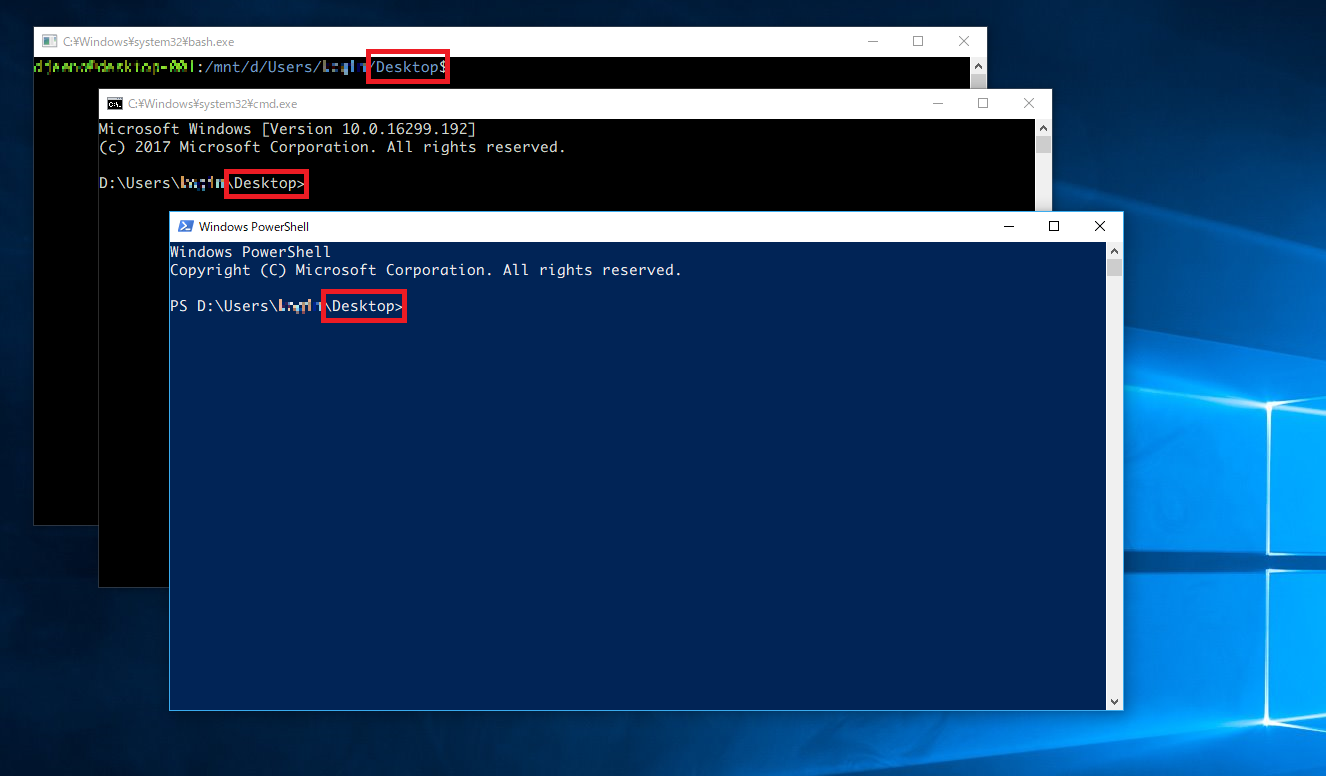
なんて楽なんでしょう。
エクスプローラー触っているときに「このパスで起動したいな」ってこと、
結構「あるある」じゃないでしょうか。
ということで、どうすれば追加できるか。
管理者権限でコマンドプロンプトを立ち上げて、以下を実行します。
reg add HKEY_CLASSES_ROOT\Directory\Background\shell\OpenWithCmdexe /t REG_SZ /d "Open with cmd.exe(&C)"
reg add HKEY_CLASSES_ROOT\Directory\Background\shell\OpenWithCmdexe\command /t REG_SZ /d "cmd.exe"
reg add HKEY_CLASSES_ROOT\Directory\Background\shell\OpenWithPowershell /t REG_SZ /d "Open with Powershell(&S)"
reg add HKEY_CLASSES_ROOT\Directory\Background\shell\OpenWithPowershell\command /t REG_SZ /d "powershell.exe"
reg add HKEY_CLASSES_ROOT\Directory\Background\shell\OpenWithBash /t REG_SZ /d "Open with Bash(&B)"
reg add HKEY_CLASSES_ROOT\Directory\Background\shell\OpenWithBash\command /t REG_SZ /d "bash.exe"
以上。
WindowsのTipsを載せていきたいリポジトリ。
https://github.com/djeeno/windows/
2017/01/26 現在 空っぽに近い。
